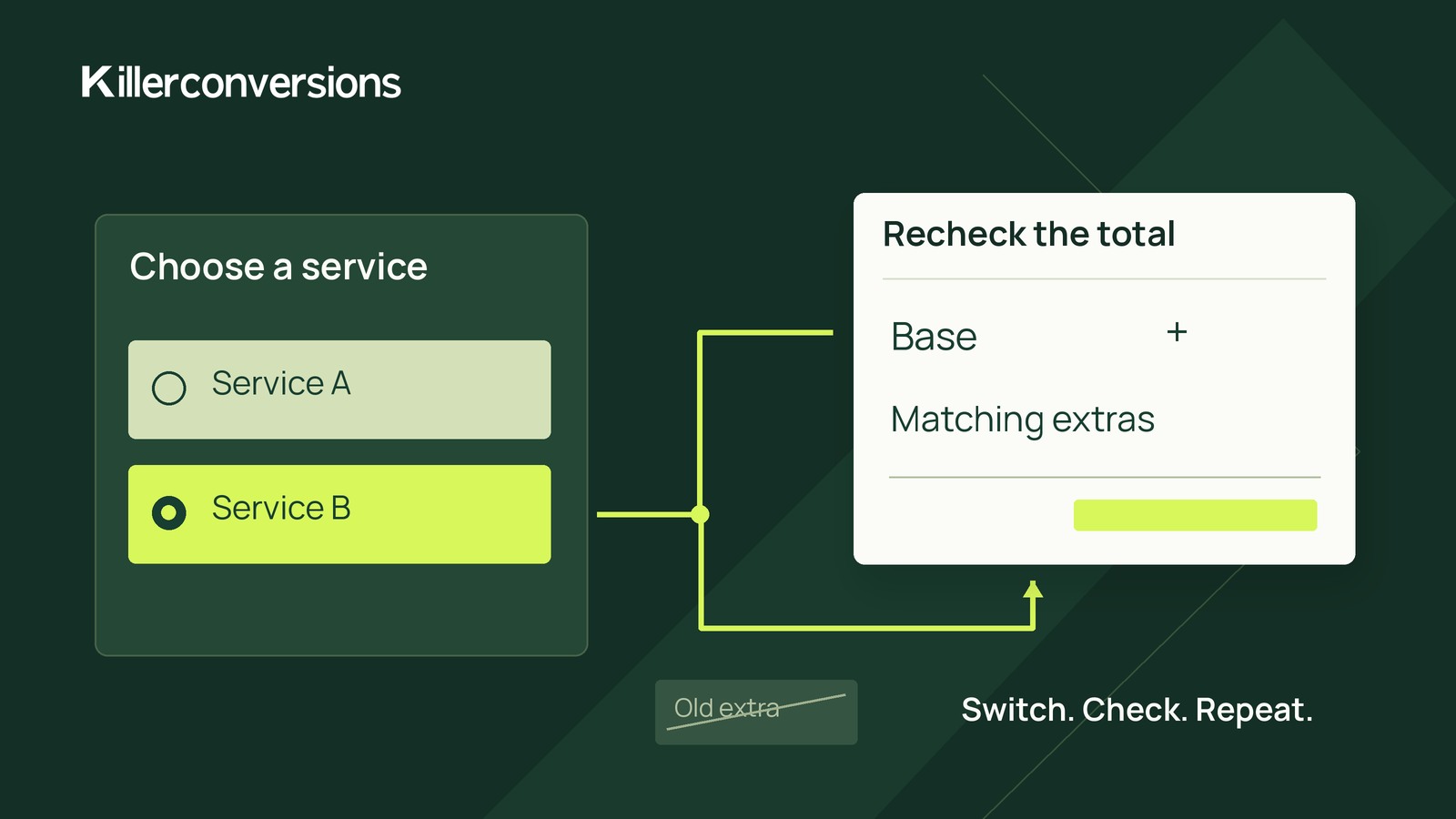
In a staging copy of your estimate form, select a service-specific add-on, switch services, then switch back. Compare the selected options, itemized preview and values sent on submission. Hiding an add-on field does not prove that its value or charge has been removed.
The fix needs two layers: clear rules for updating selections when the service changes, and server-side validation before accepting the estimate. Visibility rules alone are not enough.
Define which add-ons belong to each service
Start with a service-to-add-on compatibility list. Specify each option’s price, eligible services and behavior after a service change.
Consider this hypothetical example. All amounts are illustrative dollars, not pricing recommendations. The visitor chooses one service, and each add-on is selectable once. Taxes, discounts and variable quantities are excluded.
- Website setup: $800 base estimate; allows Extra page and Planning call.
- Site review: $300 base estimate; allows Written action plan and Planning call.
- Extra page: $120; Website setup only.
- Written action plan: $75; Site review only.
- Planning call: $50; either service.
Use this switching policy: clear incompatible selections, preserve compatible selections, and do not automatically restore cleared selections when the visitor returns.
Remembering earlier choices is another possible design, but it adds behavior to explain and verify. This example consistently uses the reset policy.
Follow the visitor through both switches
These are expected outcomes under the hypothetical rules, not results from a tested form.
Start with Website setup
Select Extra page and Planning call. Nothing needs clearing. The breakdown is $800 + $120 + $50: estimated total $970.
Switch to Site review
Clear Extra page and preserve Planning call. Written action plan is available but unselected. The breakdown is $300 + $50: estimated total $350.
Add Written action plan
Keep Site review and Planning call selected, and add Written action plan. The breakdown is $300 + $75 + $50: estimated total $425.
Switch back to Website setup
Clear Written action plan and preserve Planning call. Extra page becomes available but stays unselected. The breakdown is $800 + $50: estimated total $850.
The final amount must not return to $970 unless the visitor deliberately selects Extra page again. This return journey exposes stale selections that a one-way review can miss.
Keep fields, breakdown and submission in agreement
Treat each service change as one coordinated update:
- Update the selected service.
- Clear incompatible selections and preserve compatible ones.
- Refresh the available controls.
- Recalculate and display the itemized estimate.
Update the underlying selection state, not merely the visibility of a control or a line in the preview. Otherwise, the screen and submitted values can disagree.
If recalculation takes time, mark the estimate as updating and prevent confirmation of an outdated breakdown.
Place a removal notice near the choices or breakdown, such as: “Extra page was removed because it is not available with Site review.” Do not communicate the change through color alone. Check that a keyboard user can reach the remaining options and understand the revised estimate.
If your setup restores answers when revisiting a step or page, apply the same compatibility and reset rules. Previously cleared add-ons must stay unselected until the visitor chooses them again, even if they become compatible again.
Validate before accepting the estimate
The server must independently validate the combination and calculate its price. These are implementation requirements to verify, not assumed capabilities of your form software.
Use a server-controlled mapping of service identifiers, permitted add-ons and trusted prices. Verify that the service exists, every selected add-on belongs to it, and no once-only add-on appears more than once. Do not trust submitted prices or a browser-provided total.
Incompatible combination
For Site review submitted with Extra page, do not accept the estimate. Identify the incompatible option, retain valid answers where possible, and ask the visitor to correct the selection. Show the revised breakdown for review, then validate the resubmission before accepting it.
This follows the example’s correction policy rather than silently changing the visitor’s selection during acceptance.
Valid combination with an untrusted total
For Website setup, Extra page and Planning call, calculate $970 from trusted server prices regardless of the submitted total.
An altered submitted total does not establish what the visitor actually saw. If trusted recalculation changes the amount presented for confirmation, or agreement with that amount cannot be established, present the trusted breakdown and require renewed review. Never accept an incorrect browser-supplied amount as the price.
If you store estimates, retain the validated service, add-ons and itemized amounts. Label the amount as an estimate—not a confirmed quote—and explain its scope and when someone will confirm requirements and price.
Record expected and actual staging behavior
Use the same five labels for each review case. Here is the proposed switch-back case, not test evidence:
- Starting selections: Site review, Written action plan and Planning call; estimated total $425.
- Action: Switch to Website setup, inspect the revised state, then submit it.
- Expected selections and breakdown: Website setup and Planning call selected; Extra page unselected; Written action plan cleared. Breakdown: $800 + $50 = $850.
- Expected acceptance or correction: Switching alone accepts nothing. On submission, the combination passes these pricing rules; acceptance still requires server validation and any required review.
- Actual observation: Not run.
Copy those labels for these additional proposed cases:
- Fresh start: No add-ons selected; expect $800 for Website setup or $300 for Site review.
- Repeated switching: Start with Website setup, Extra page and Planning call ($970). Switch to Site review and back twice without selecting anything else. Expect $350 on each review and $850 on each return, with one $50 Planning call.
- Incompatible submission: Submit Site review with Extra page in staging; expect correction, not acceptance.
- Altered total: Submit Website setup, Extra page and Planning call with a supplied total of $1; expect a server-calculated $970, with renewed review under the conditions above.
- Restored answers, if supported: After the repeated-switching case, revisit steps through supported navigation. Expect the current compatible selections to remain, with no automatic return of Extra page.
Record the preview, submitted values, server response and any saved breakdown as separate observations.
Run the switch-back case first. If the preview is wrong, investigate selection reset and recalculation. If it looks right but an incompatible estimate is accepted, investigate server enforcement. If your setup cannot enforce these requirements, simplify to combinations you can validate or collect requirements for a manual estimate.