
01INCLUDED IN FREE
Collect enquiries.
Ask the right questions. Keep the answer in your inbox, even if its notification email fails.
- Contact and enquiry forms
- Local entries and CSV export
- Optional staff email and retry status
Your example entry is ready below.
This is a simulation. Nothing was sent or saved.
For a simple enquiry, try the Free example or download Free.
Just a demo. Nothing is sent or saved.
See an example entry arrive here.
Pro multi-step example. Basic conditional fields are included in Free. More browser-only examples ↗
Create a form, publish it on your site and review the entries in WordPress. No vendor account or Pro activation required.
Ask the right questions. Keep the answer in your inbox, even if its notification email fails.
Collect the scope, budget and timing you need to prepare a personal quote.
Keep a local record of each accepted enquiry and export it when needed.
Start from one of 8 Free templates, or build your own. Save a design draft and choose when to publish. Free includes a honeypot and submission rate limiting, plus optional Cloudflare Turnstile. Review spam protection.
Add questions and check the form side by side. A saved design draft keeps unfinished edits separate from your live form.
View the builder guide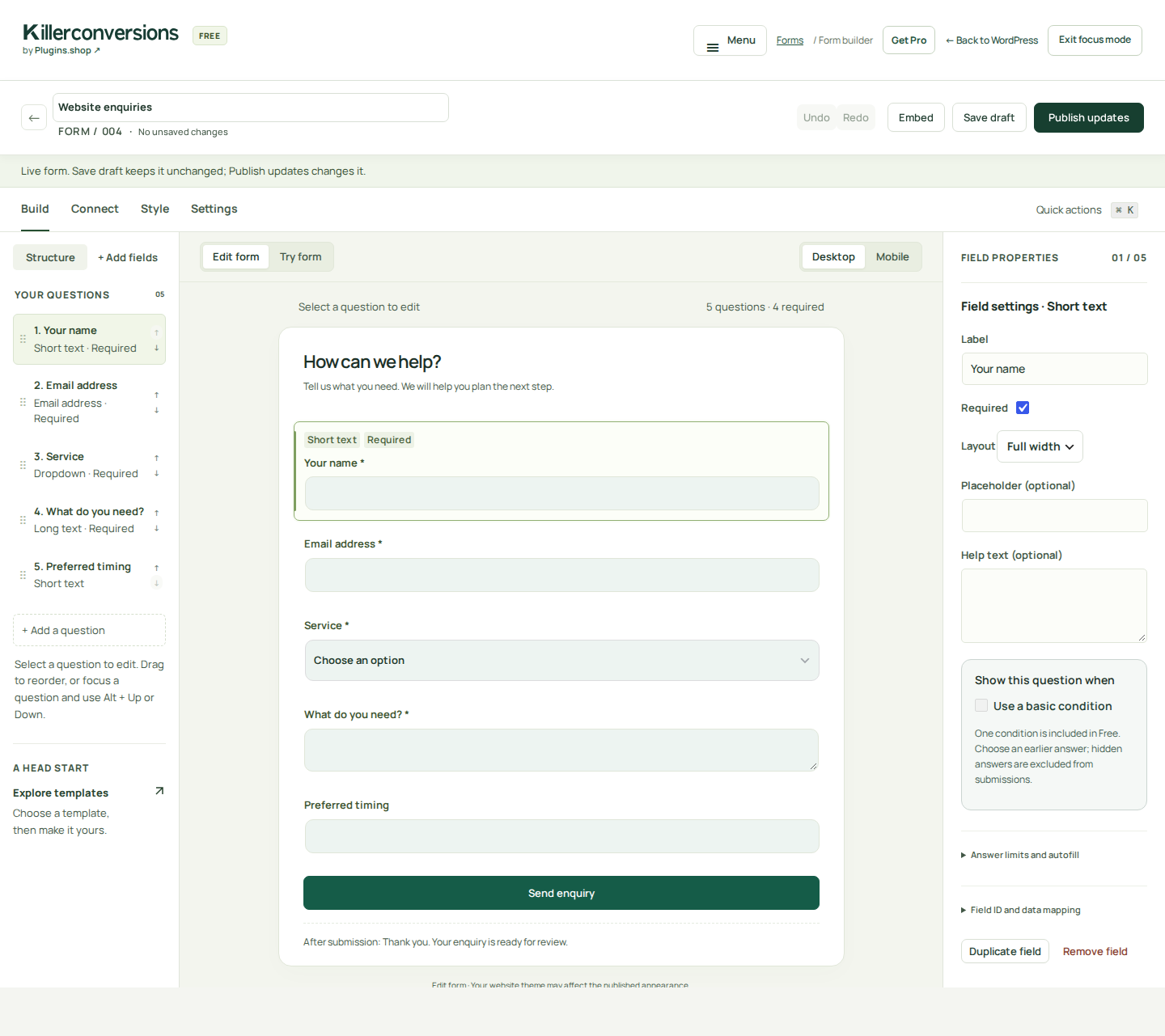
An accepted submission is stored before its notification is attempted. If email fails, you can still find the entry and review delivery status in WordPress.
Keep the complete Free workflows. Add the tools that help visitors return, estimates look professional and your team know what comes next.
Visitors explicitly save their application and return through a private link, with eligible unfinished attachments retained.
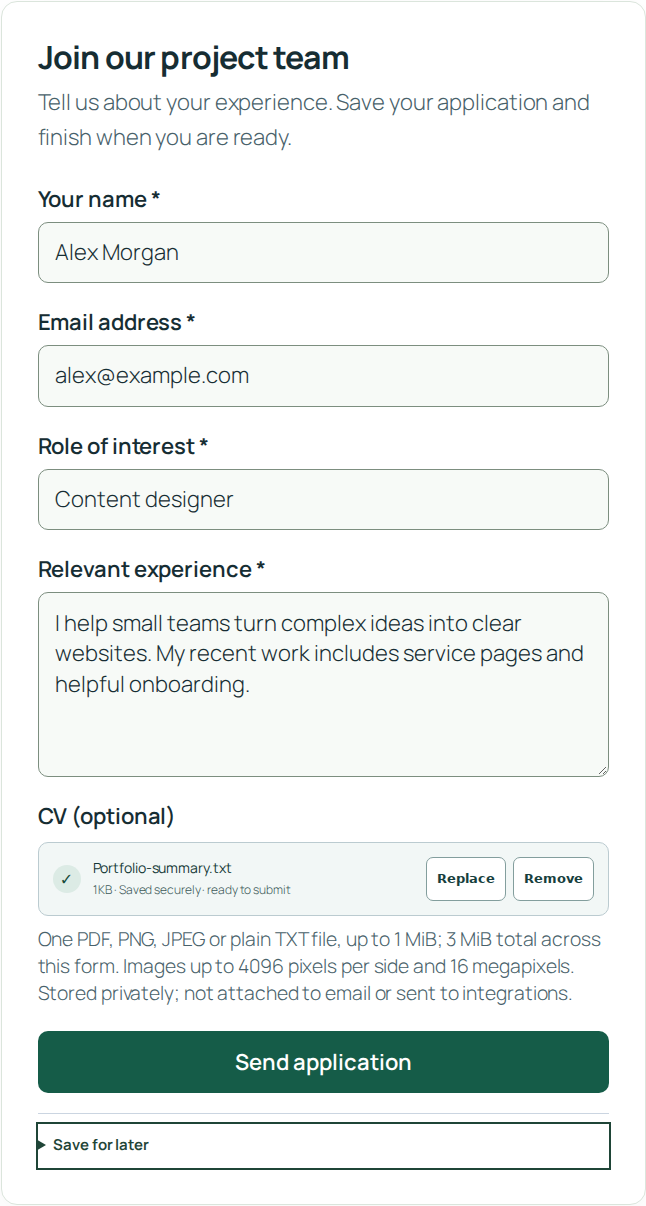
Free includes useful enquiry forms and basic conditional fields.
Pro adds multi-step forms, private uploads, saved applications and private resume links.
Add pricing tiers and advanced calculations, then generate a branded PDF with an itemized breakdown.
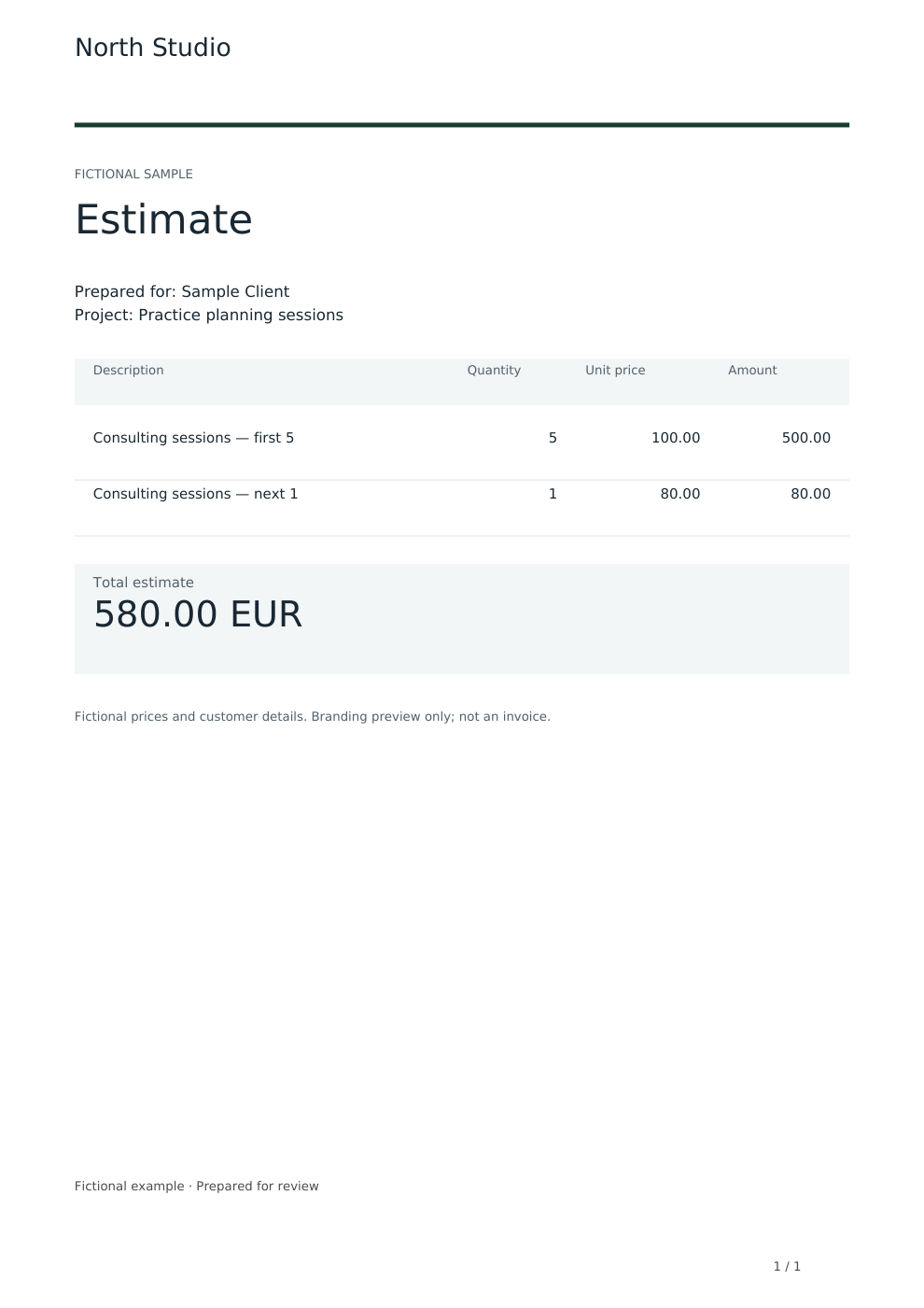 Open the example PDF Pro 1.2.0 · fictional sample estimate
Free includes enquiry forms, local entries, CSV and ordinary email.
Pro adds all estimate calculations, advanced pricing and branded generated PDFs.
Set review stages, add notes and due dates, and give staff access to the entries they need. Connect selected answers to your chosen tools.
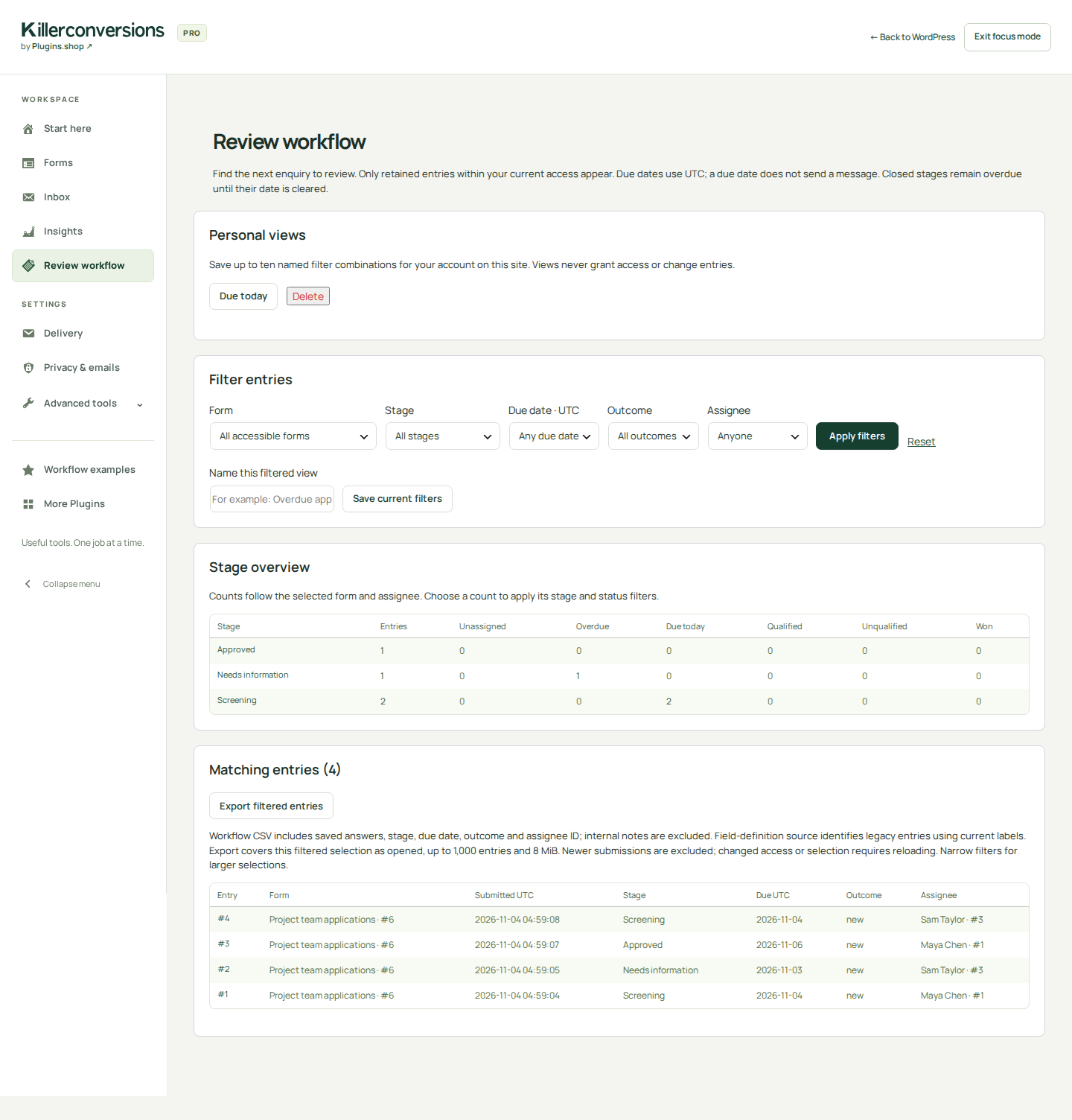
Free includes the local inbox, basic assignment, status and ordinary email.
Pro adds review stages, notes, due dates, scoped staff access and advanced connections.
Every Pro plan includes the same features. Choose 1, 3 or 10 website licences. Compare Free and Pro
Start with Free for everyday forms. Add Pro when your application, estimate or follow-up needs the extra workflow.
See plans, prices and renewal terms| Your workflow | Free | Pro adds |
|---|---|---|
| Forms & applications | Enquiry forms and basic conditions | Multi-step forms, uploads, save & resume, advanced logic |
| Estimates | Quote enquiry forms and ordinary email | Estimate calculations, advanced pricing & branded PDFs |
| Follow-up | Local inbox, basic assignment, CSV & queued email | Review stages, notes, due dates & staff access |
| Connections | Basic Brevo & MailerLite with separate consent | HubSpot, Slack & signed webhooks |
Try Free or Pro 1.2.3 in your own temporary WordPress workspace. No signup. Up to 30 minutes. Use fictional details: practice forms and entries are stored temporarily on our demo server.
Email and external connections are disabled in the live demo. Read the demo guide and limits. Prefer a quick visitor-only preview? Open the browser-only examples; those simulations do not send or save your answers.
More detail is always available in the setup and feature guides.
Yes. Build useful enquiry forms with basic conditional fields without a KillerConversions account or Pro license. Free includes local entries, CSV export and ordinary queued email. Estimate calculations, multi-step forms and file uploads require Pro.
Staff email starts off; accepted enquiries still appear in WordPress Inbox. Set a recipient under the form’s Connect tab and publish, or use Inbox only. Check paused-delivery notices and confirm a real example reaches the intended recipient. Set up and check email.
A built-in honeypot and submission rate limiting. Optional Cloudflare Turnstile adds server-verified protection after you supply keys, acknowledge the service and enable it. It starts off. Review protection and privacy.
Your installed plugin stores accepted entries in your WordPress database. You choose retention, email recipients and connections. The browser-only examples on this website do not send or store your example answers. The separately labelled hosted demo uses a temporary WordPress site. Read the privacy notice.
Free requires WordPress 6.5 or later and PHP 7.4 or later. Pro requires PHP 8.0 or later and matching compatible Free. For the current 1.2.3 release, install Free first and then Pro; keep both active. View installation and release details.
Download Pro from your customer account, install it alongside Free and activate your purchased license for this website. Marketing permissions are separate from licensing. View the activation guide.
After the first valid activation, installed Pro tools continue through ordinary plan expiry or a service outage. Updates, new downloads and direct support require an eligible plan. Disconnecting the local license connection deliberately pauses premium work. Review plans and renewal terms.
Start with Free. Add Pro when you need saved applications, branded PDFs or a clearer team workflow.